JsSandbox is not a text box with an eval button. It is a complete local workspace: real editor intelligence, real Node.js and browser runtimes, real npm packages, and a console that keeps up with all of it.
v0.6.0Windows 10 and 11 (64-bit)MIT licensedNo account
Keep several ideas open at once. Save the ones that matter. Reopen the ones you closed by accident. JsSandbox remembers tabs, snippets, themes, settings, environment variables and layout across restarts.
Multiple tabs
Each tab keeps independent code, language, runtime and output. Rename on double-click, close with a middle-click.
Open, save, save as
Work with real files, automatic language detection, and a reopen-closed-tab history.
Snippet library
Save reusable pieces once, search them, and reopen them in a fresh tab whenever you need them.
Working directory
Pick any project folder. Imports, package installs and file reads resolve from the workspace you choose.
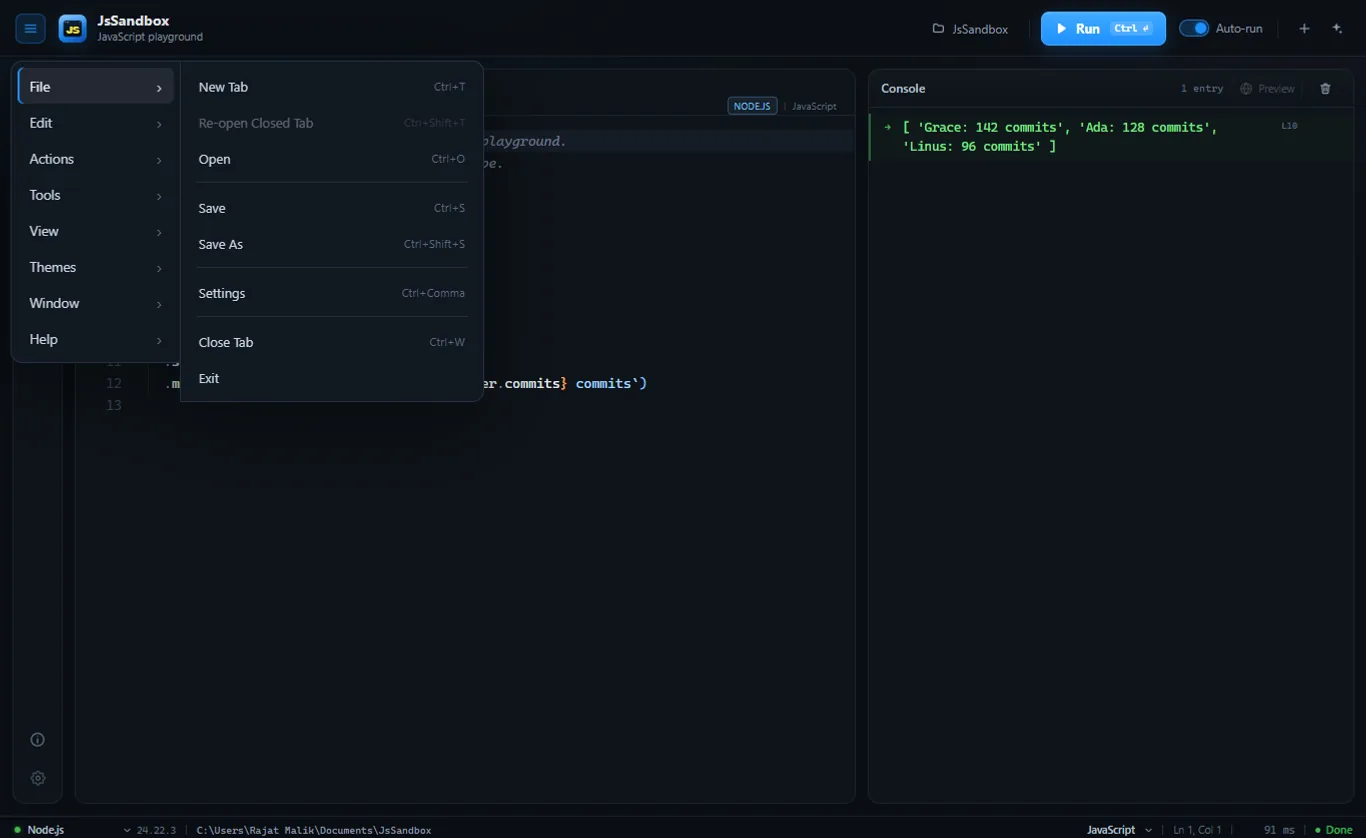
The full application menu keeps every command one level away.
A menu designed for people who use menus.
File, edit, actions, tools, view, themes, window and help — grouped commands, keyboard shortcuts and check marks for the active option. Submenus open on hover instead of hiding behind another click.
Activity bar for snippets, packages and actions
Resizable editor/output and console/preview splits
Workspace logo in the window, menu and About screen
Layout, theme and settings remembered per workspace
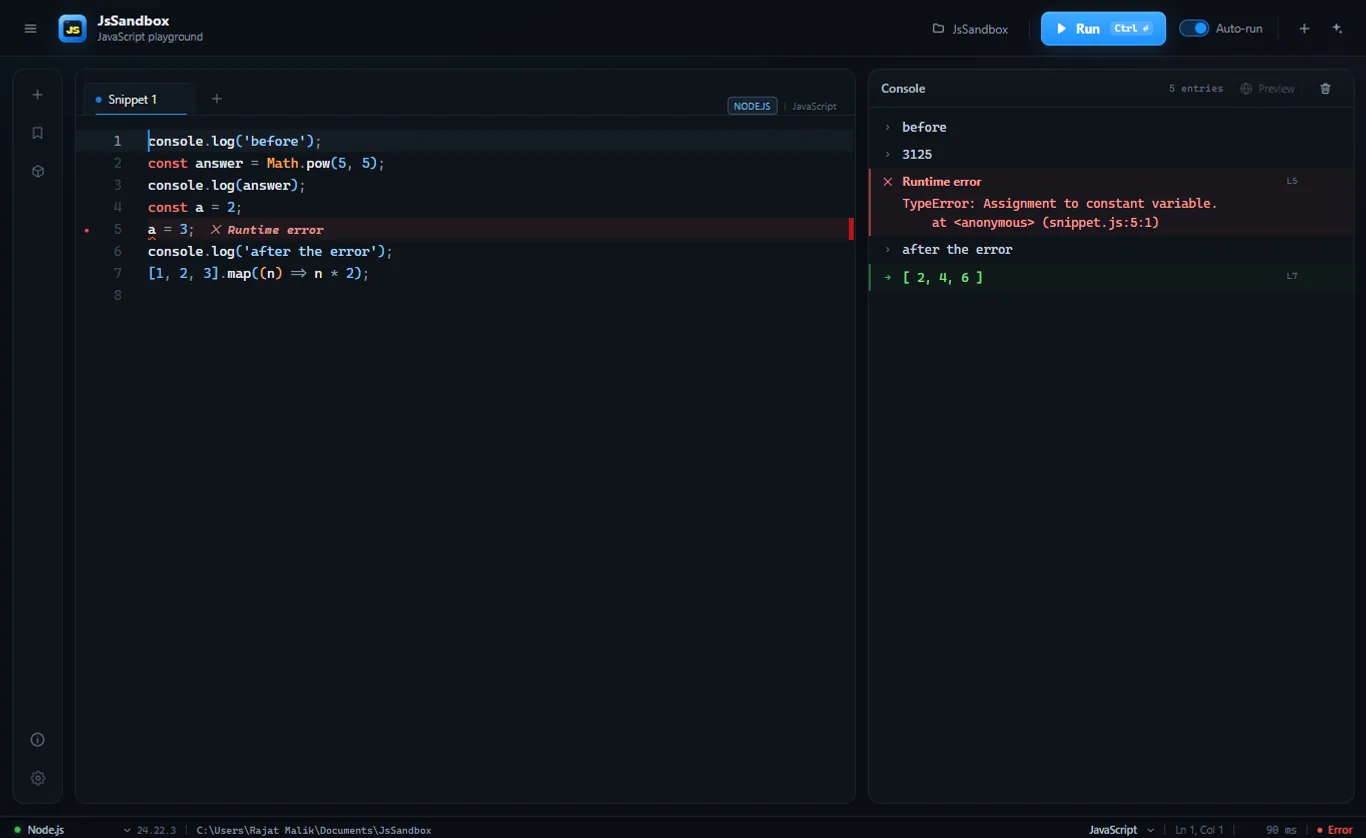
Diagnostics update while you type; runtime errors no longer erase earlier output.
Execution
Run it before you finish the thought.
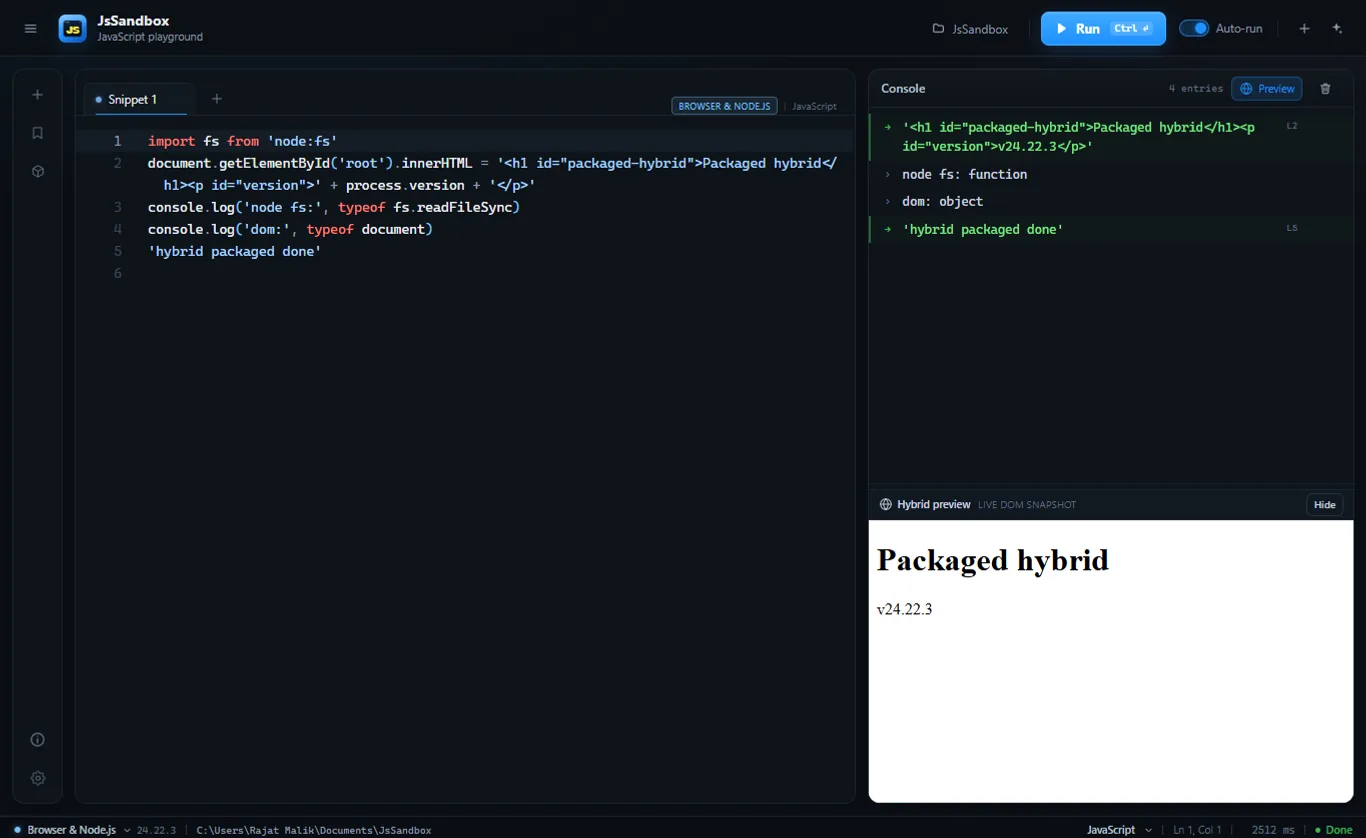
Auto-run compiles and evaluates as you type. Every top-level expression prints its value with the line that produced it. Async output keeps streaming after the first result. If one expression throws, the rest of the program keeps going — and the error is marked on the exact line.
JavaScript, TypeScript, JSX and TSX via esbuild
Top-level await and streaming async output
REPL-style line labels for every value
20-second runaway guard, Stop and Clear
Ctrl/Cmd+Enter for manual execution
Prettier auto-format on run, if you want it
Browser & Node.js: one utility process, both APIs, live preview.
Runtimes
Node.js. Browser. Both at once.
Switch a tab between three honestly different execution environments. Node.js gets a dedicated utility process with full Node APIs. Browser gets a sandboxed iframe with real DOM, canvas and WebGL. Browser & Node.js gets Node plus a happy-dom DOM and a rendered snapshot preview.
File system, network and npm packages in Node.js
Real DOM, canvas, WebGL and framework previews
Per-tab runtime selector in the status bar
Local storage falls back to memory inside the sandbox
Output streams back over a narrow IPC bridge
No filesystem access from the browser runtime
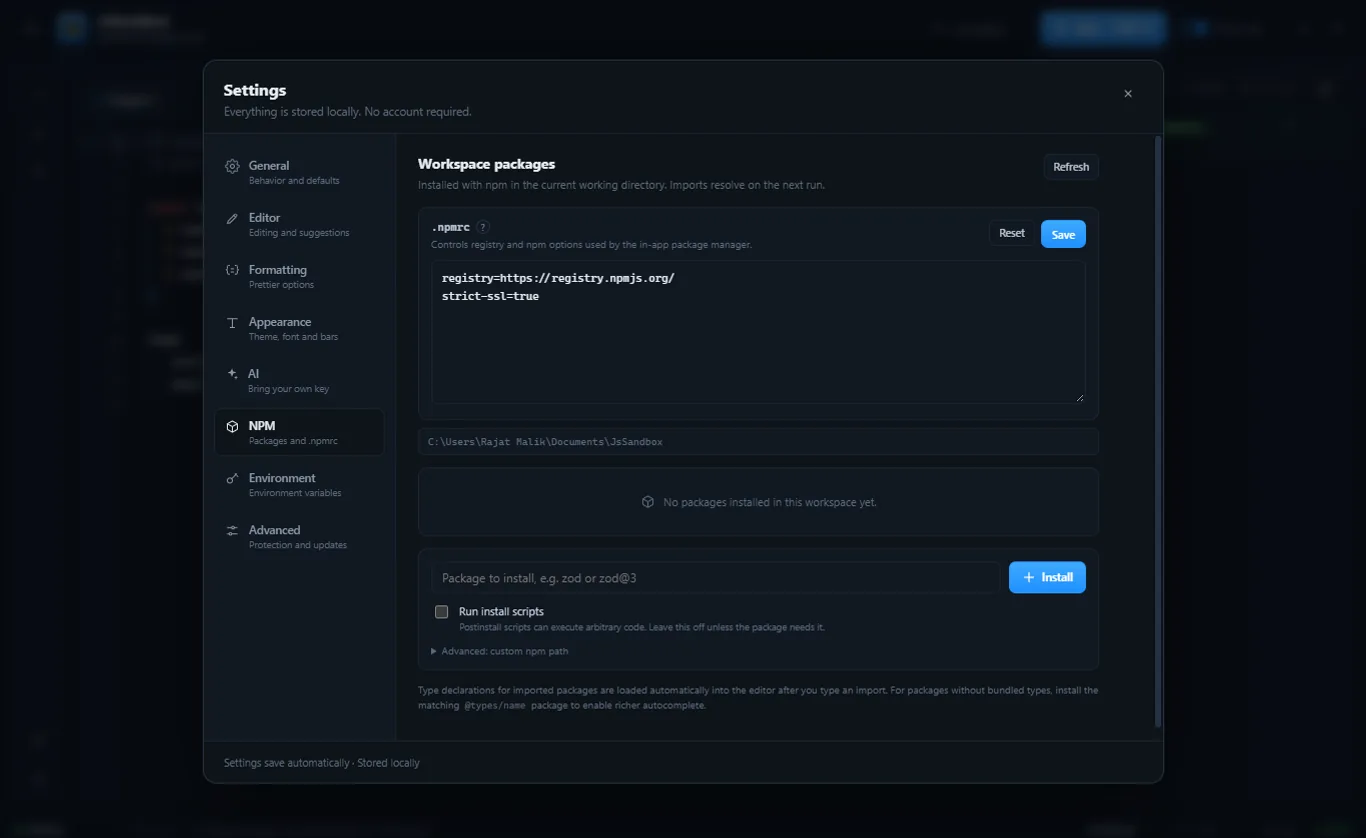
Install a package, then import it. No terminal window required.
Packages
npm, without the terminal detour.
Install and remove packages in the current workspace with live npm output. Supports plain names, versions and scoped packages. Type declarations are loaded into the editor automatically, so imports get real autocomplete instead of a shrug.
Install, list and uninstall with live logs
Custom .npmrc registry, SSL and auth
Package-aware autocomplete and type checking
Types badge prompts for @types/name
Install scripts off by default, opt-in only
Bundled React runtime, workspace React wins
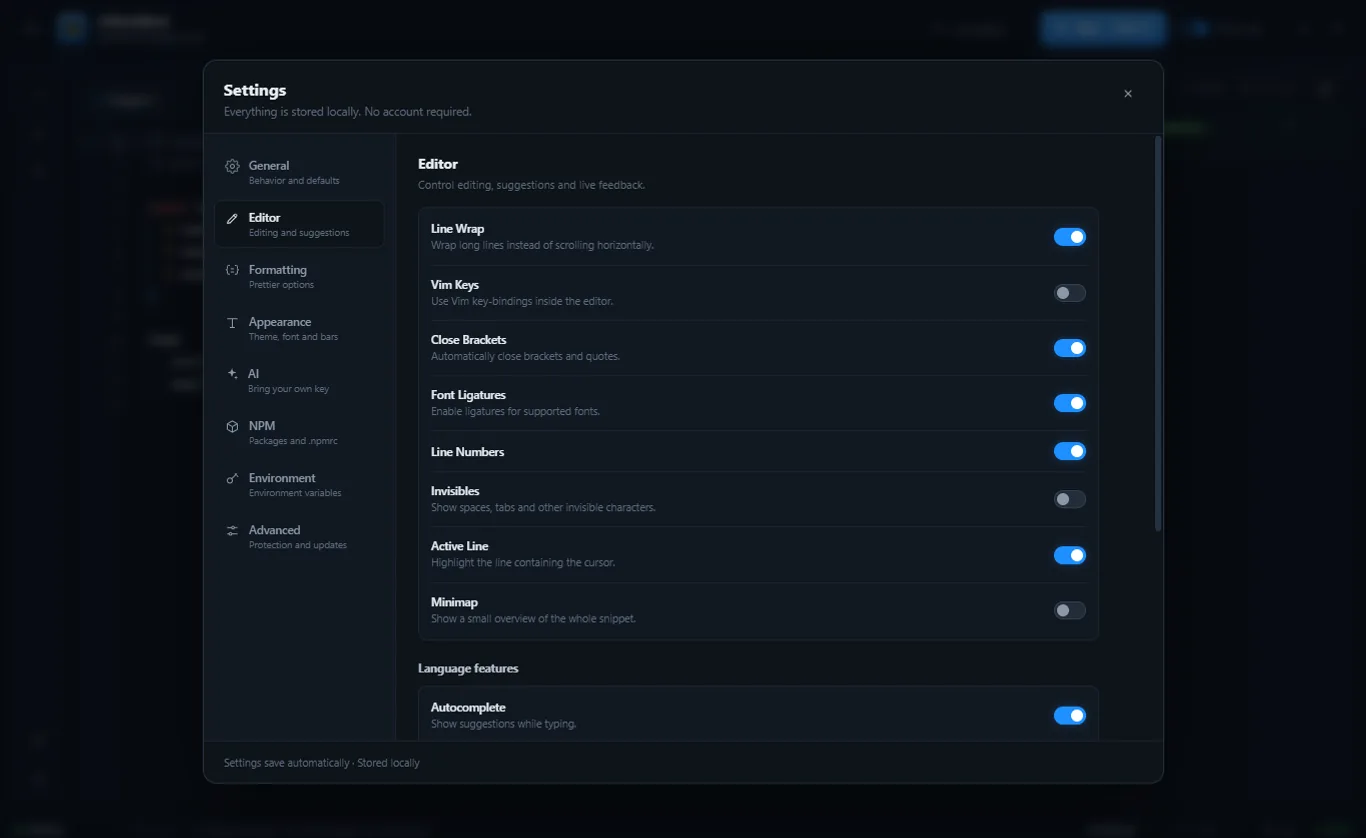
Every editor behaviour is exposed, not buried in a JSON file.
Editor
The engine behind VS Code.
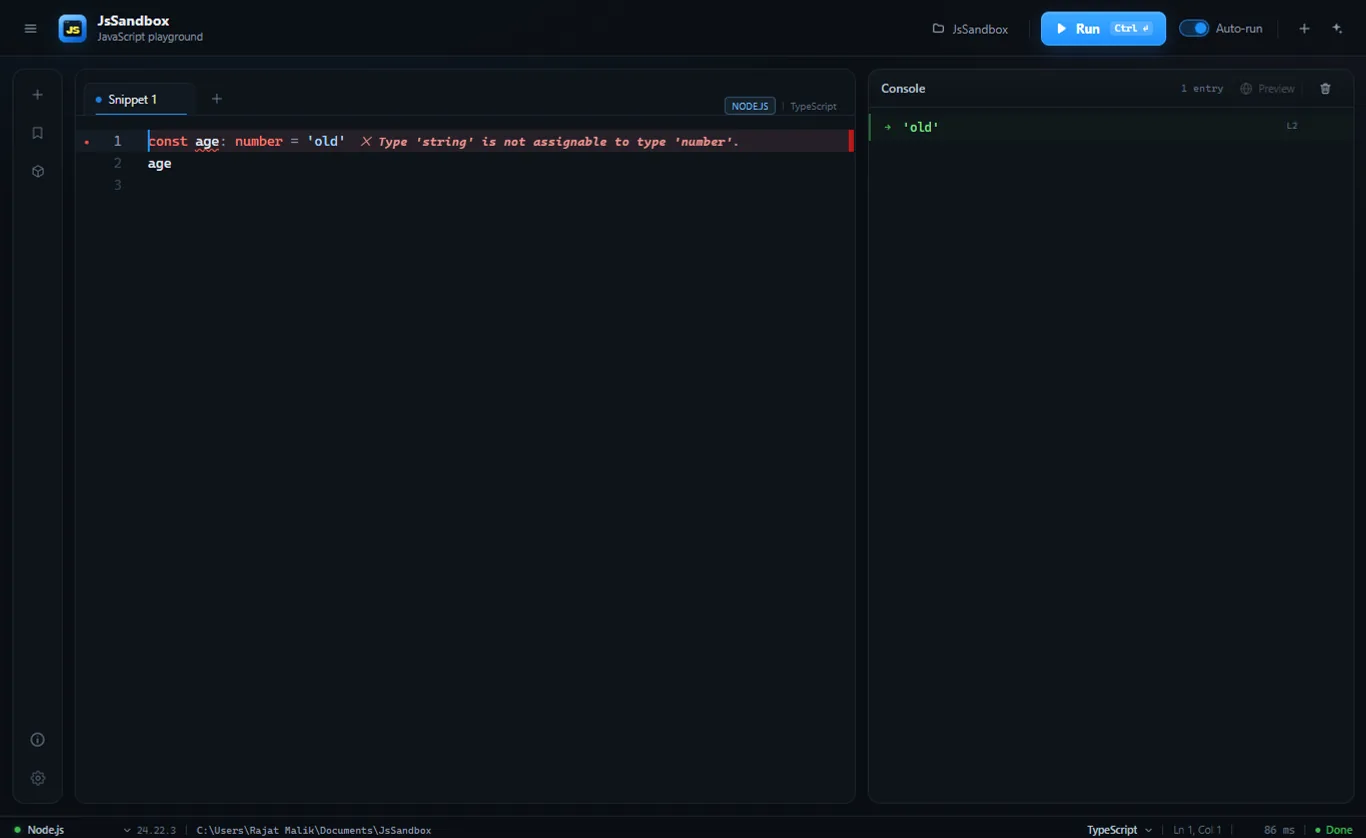
Monaco brings the intelligence you expect: autocomplete, syntax diagnostics, type checking, signature help, bracket colorization and hover information. JsSandbox adds package-aware declarations, inline Error Lens diagnostics and a settings screen that covers the details.
Autocomplete, diagnostics and type checking
Error Lens–style inline errors and gutter dots
Line wrap, minimap, ligatures, invisibles
Vim key bindings for the faithful
Bracket closing and active-line highlight
Toggle linting off for native squiggles only
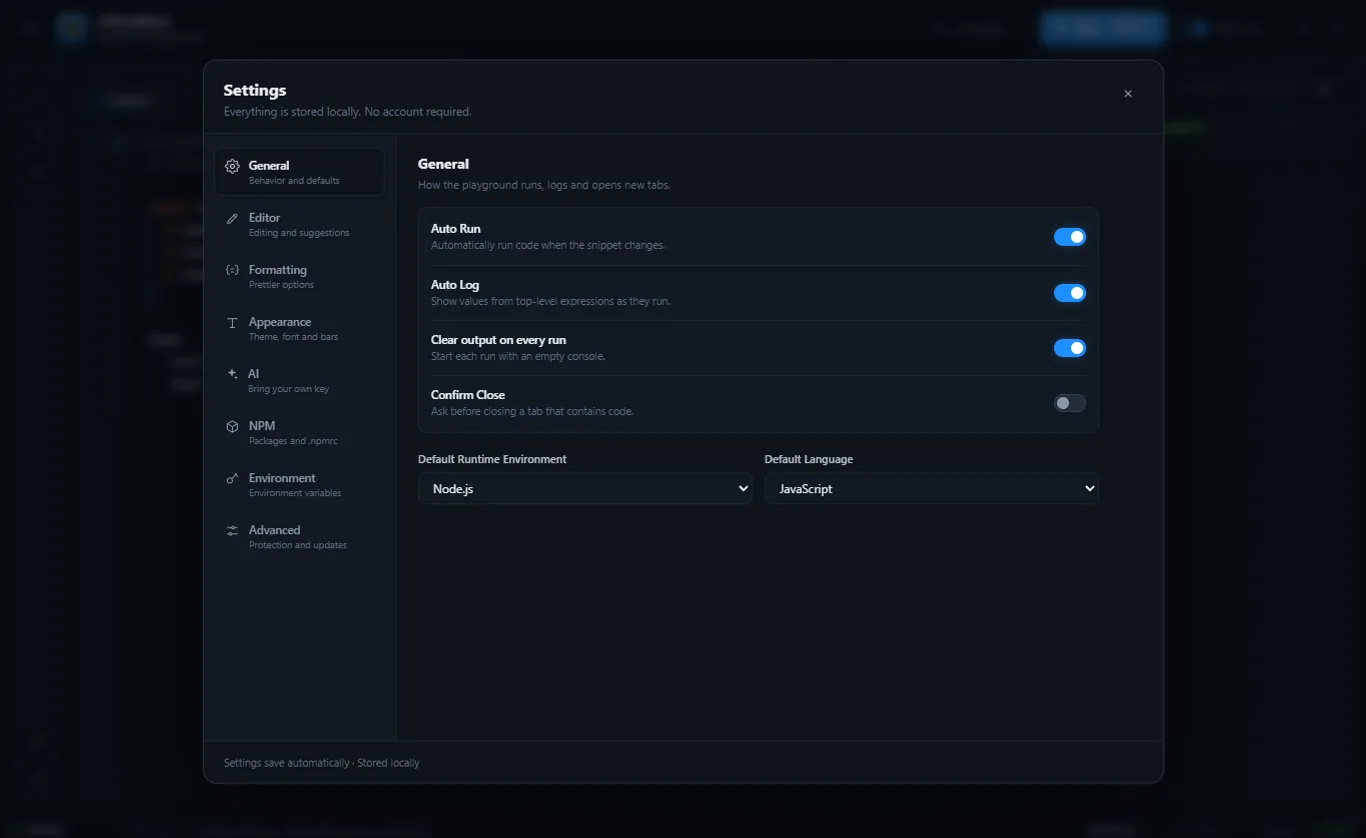
General, editor, appearance, formatting, AI, npm, environment and advanced settings — saved locally.
The defaults are sensible. The controls are yours.
Choose auto-run, auto-logging, the default runtime and language, close-tab confirmation, undefined-result behaviour, loop protection and update checks. Formatting has its own Prettier page with print width, quotes, semicolons, commas, bracket spacing and arrow parentheses.
Auto-run and auto-logging toggles
Default language and runtime for new tabs
Prettier with every common option
Workspace environment variables
AI assistant
Your key. Your model. Your call.
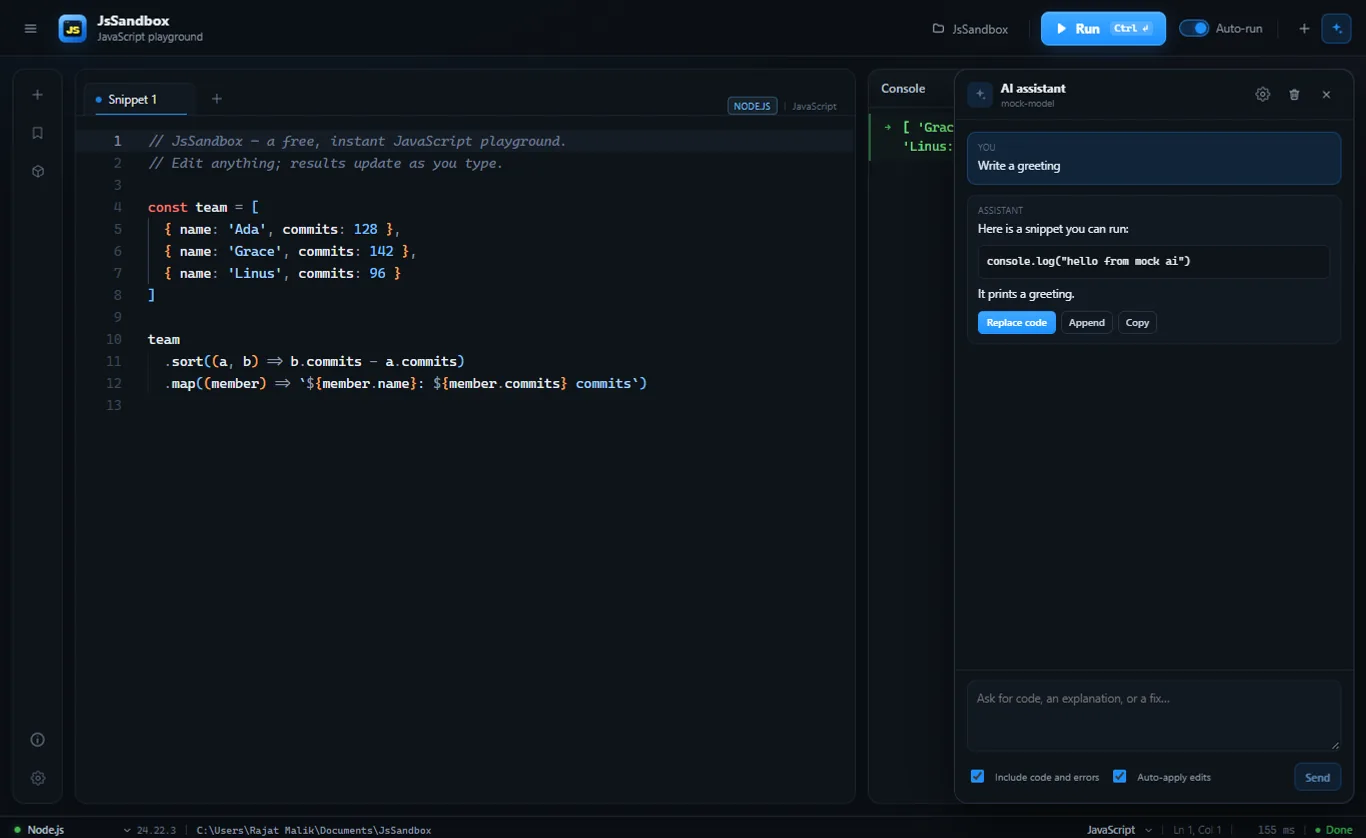
The assistant is optional and deliberately bring-your-own-key. Use a cloud provider you already pay for, a local model on your own machine, or a custom compatible endpoint.
Test before you trustTest the connection from Settings → AI, then open the assistant from the sparkles icon.
Context that mattersInclude the current code and errors. Generate snippets, or replace and append directly in the editor.
Not a key you hand to usRequests go from the main process to your provider. Keys use the OS secure store and are never returned to the renderer.
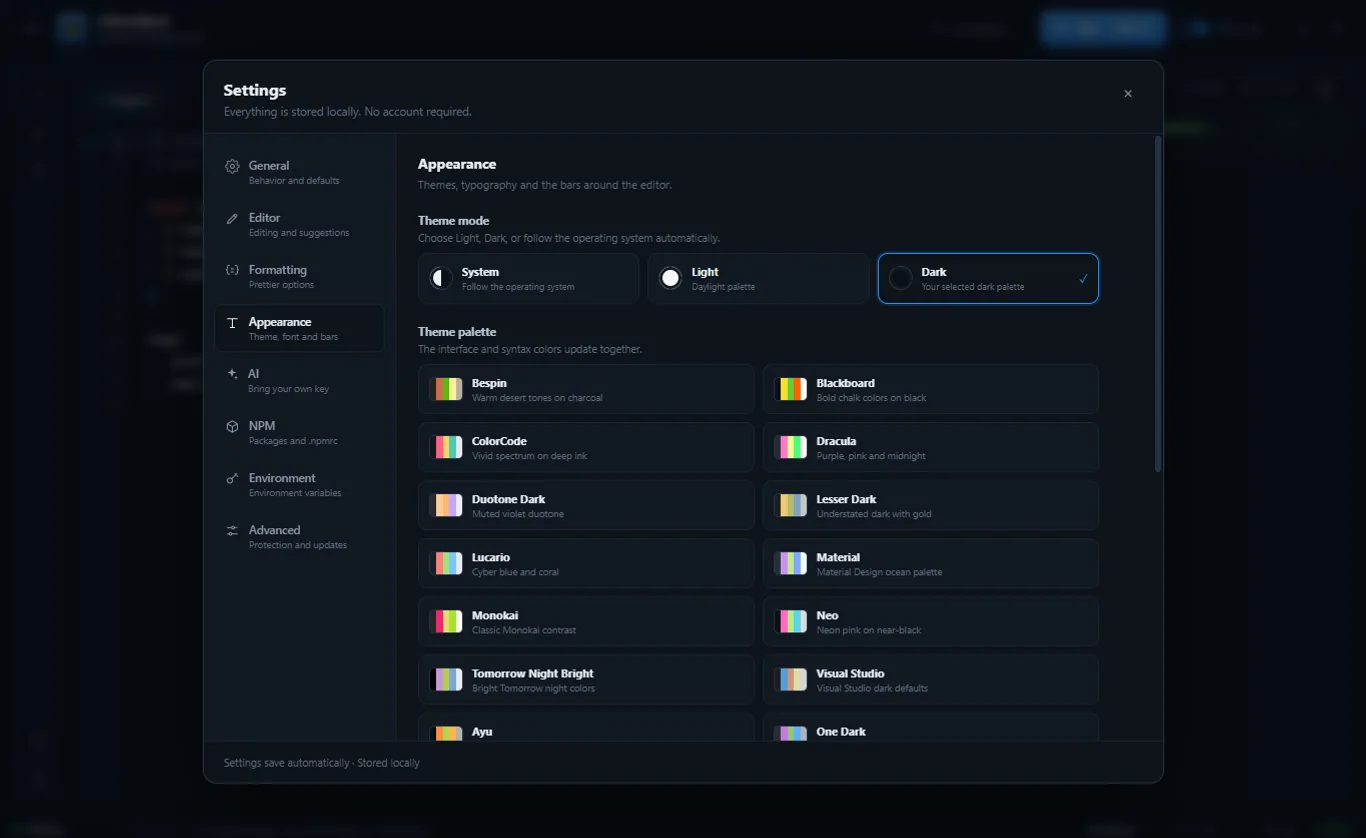
Twenty themes, light/dark/system modes and a preview of every palette.
Appearance
Twenty ways to make it feel like home.
JsSandbox Dark and Daylight. Dracula, Monokai, Midnight, Graphite, Bespin, Blackboard, One Dark, Ayu, Material, SynthWave '84 and more. Choose a theme, font family and size; hide the single-tab bar, activity bar or status bar when you want fewer pixels.
20 syntax and UI themes
Light, dark or follow the OS
Font family and font size
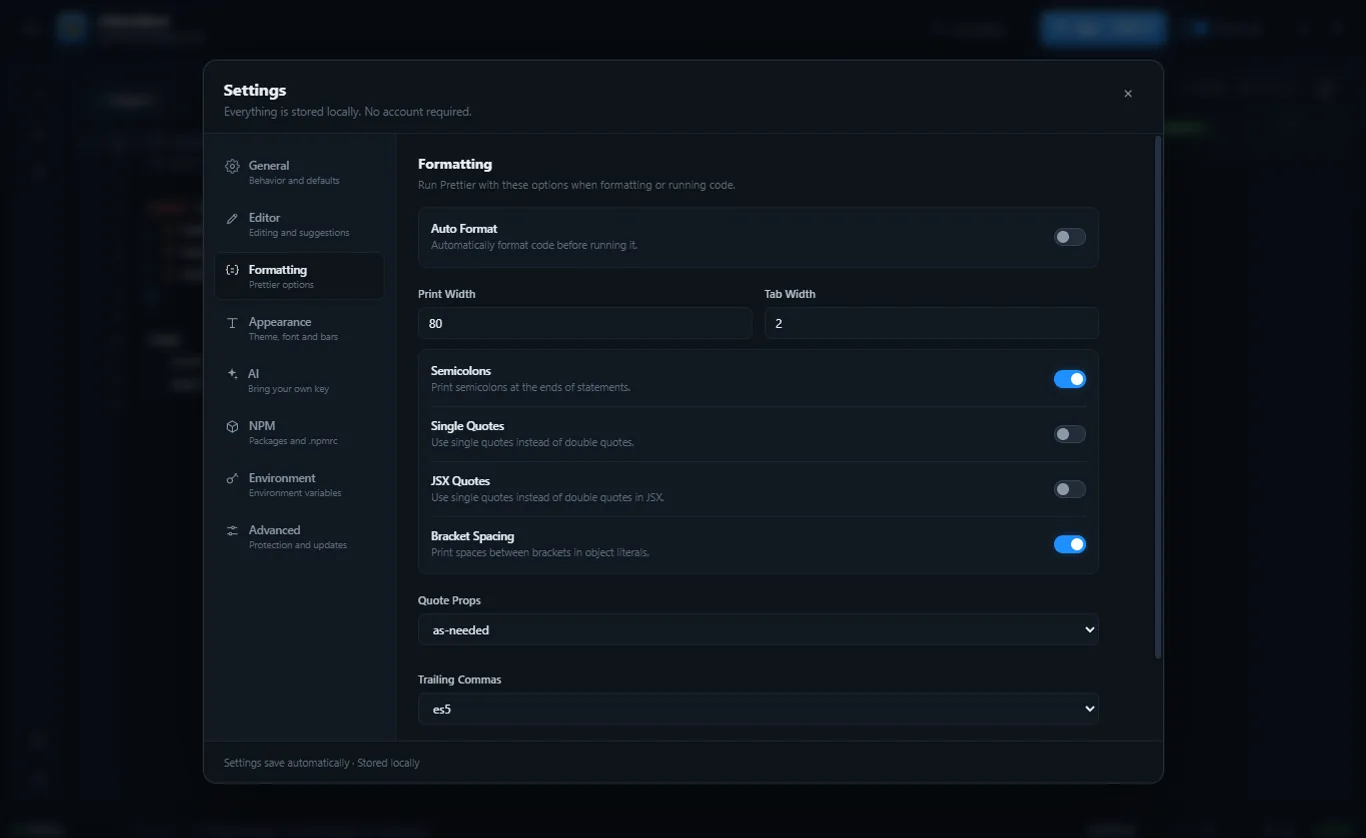
Prettier formatting options
Format document with Ctrl+Alt+F
Layout and bars that stay out of the way
Formatting is a first-class setting, not a hidden command.
Prettier, exposed.
Set print width, tab width, semicolons, single quotes, JSX quotes, quote props, trailing commas, bracket spacing and arrow-function parentheses. Enable auto-format on run or format on demand without executing anything.
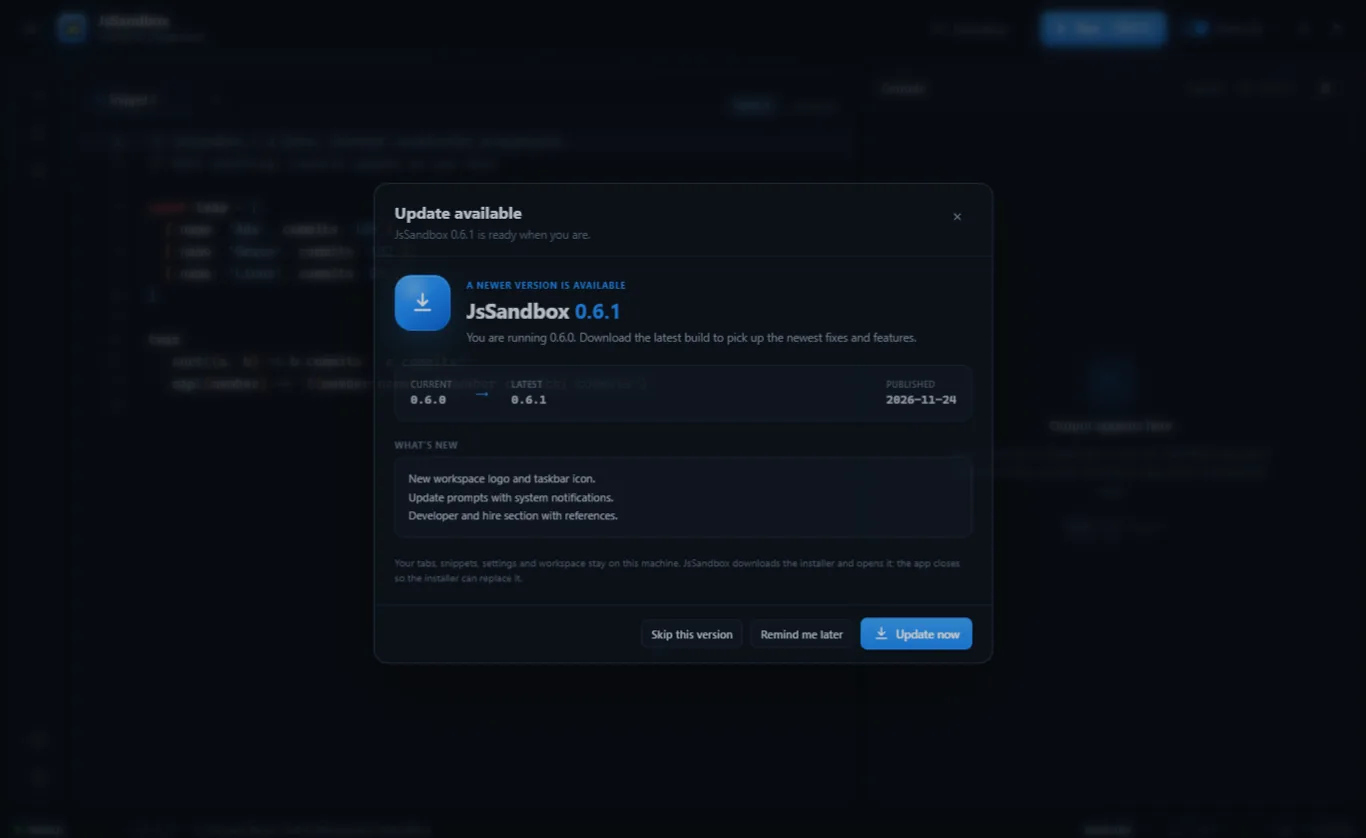
Update now, remind me later, or skip this version. Your call.
Updates & security
Updates you can say no to.
JsSandbox quietly checks GitHub Releases on launch and every four hours. When a newer version exists, you get a native notification and a prompt with three honest choices. No forced restart, no mystery download.
Automatic GitHub Releases check
Remind me later (24 hours)
Skip this version until a newer one appears
Custom JSON update feed for private builds
Browser snippets in a sandboxed iframe
Narrow IPC bridge and context isolation
A local tool, not a security sandbox. Node.js snippets run with the privileges of your user account, so only run code you trust. Browser snippets are sandboxed with no Node access. Install scripts are opt-in.
Everything included
The complete list.
No add-ons, no premium tier, no “contact sales” button hiding a feature. This is the app.
Workspace
Multiple independent tabs
Open, save and save as
Reopen closed tabs
Snippet library
Persistent workspace
Working directory picker
Resizable splits
Execution
JS, TS, JSX and TSX
Auto-run and Ctrl+Enter
Top-level await
Node.js runtime
Browser runtime
Browser & Node.js runtime
Resilient execution after errors
Editor
Monaco engine
Package-aware types
Error Lens diagnostics
20 themes
Vim key bindings
Prettier formatting
Configurable layout and bars
Packages & environment
In-app npm install/uninstall
Live npm output
Custom .npmrc
Environment variables
Bundled React runtime
Opt-in install scripts
Automatic type declarations
Console
log, info, warn, error, debug, trace
Groups, counters, timers, tables
Object inspection
Source-mapped errors
Copy any entry
Clear output
Inline final results
AI & updates
40+ AI providers
Local models supported
Secure per-provider keys
Update now/later/skip
Native update notifications
MIT license
No account or subscription
Try it in under a minute
Read the list. Then close the tab.
Download the app, open a tab, and type something. The features are more convincing when they are running on your machine.
v0.6.0 · ~130 MB · MIT License · No account required
Cookies, on your terms. Optional analytics and advertising cookies help improve this site and keep JsSandbox free. Nothing optional loads until you agree. Cookie policy.