Native speed, zero round trips
Code is compiled with esbuild and executed locally. No upload, no cold start, no queue. Results appear while you type.
New JsSandbox 0.6.0 adds a built-in AI assistant, a hybrid runtime, and 20 themes. See what’s new
JsSandbox is a desktop JavaScript playground that runs your code as you type. TypeScript, JSX and TSX compile instantly. Node.js, the browser, npm packages and your own AI assistant are all one keystroke away.
Why a desktop playground?
A browser playground is fine for a snippet. A real desktop playground gives you the files, packages, runtimes and speed of your actual machine — without a subscription or a login screen.
Code is compiled with esbuild and executed locally. No upload, no cold start, no queue. Results appear while you type.
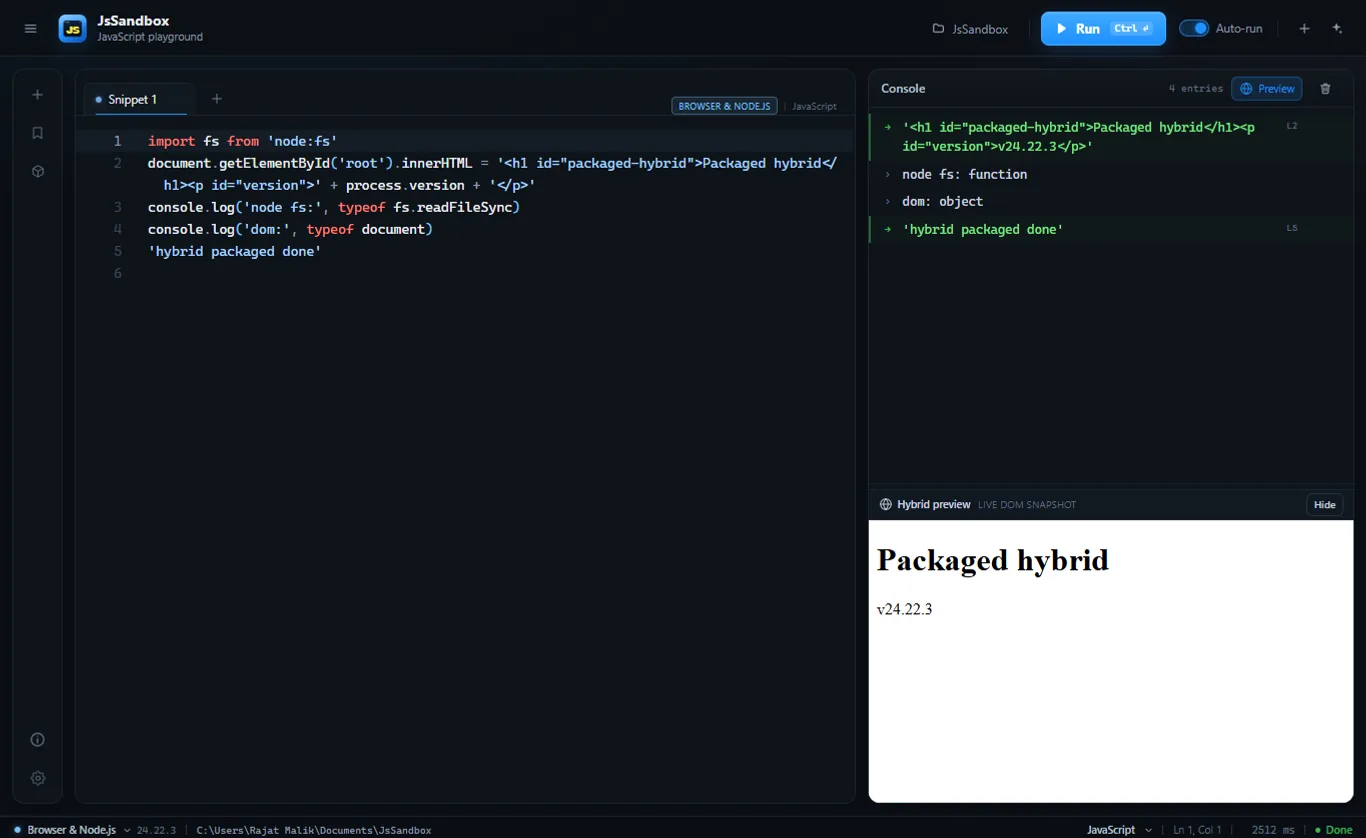
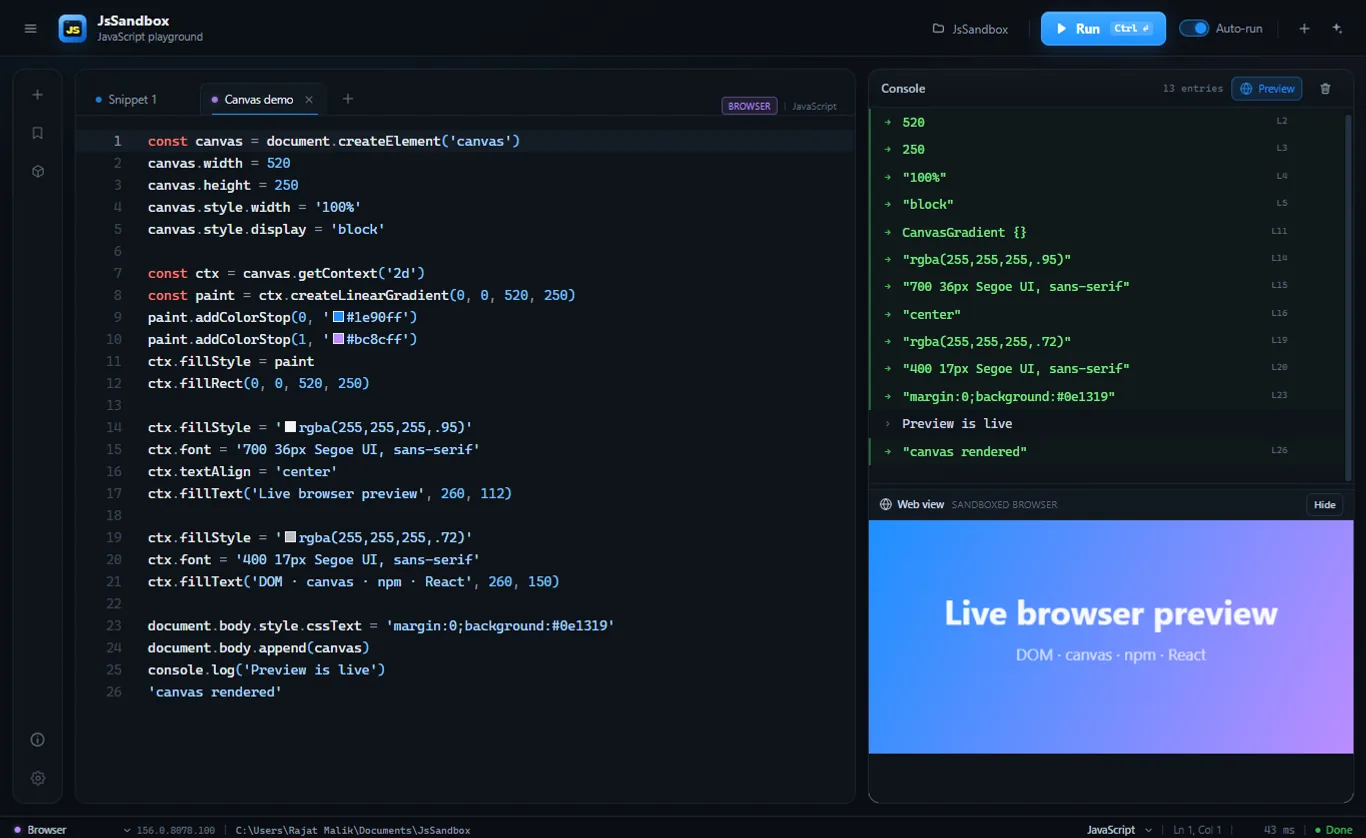
Run Node.js scripts, real browser DOM and canvas code, or both together in a hybrid runtime with a live DOM snapshot.
No account and no telemetry. AI is optional and bring-your-own-key. Keys are protected with OS secure storage, not a server you don't control.
Everything in the box
Instant evaluation is the headline. The rest is the reason you'll keep it open all day: real editor intelligence, real packages, real runtimes, and a console that tells you the truth.
Turn on auto-run and every top-level expression prints its value in the console as soon as it runs. Or press Ctrl+Enter when you want control. Results stream, async work keeps going, and a runtime error no longer throws away the output you already earned.
// results update as you type
const team = [
  { name: 'Ada', commits: 128 },
  { name: 'Grace', commits: 142 },
]

team.sort((a, b) => b.commits - a.commits)
    .map(({ name, commits }) => `${name}: ${commits}`)
→ [ 'Grace: 142', 'Ada: 128' ]Switch a tab between Node.js, a sandboxed real browser, and Browser & Node.js. Every tab keeps its own language, runtime and output.
Monaco brings autocomplete, type checking, signatures, error lens–style diagnostics and package-aware TypeScript definitions. Hover a package and the editor knows it.
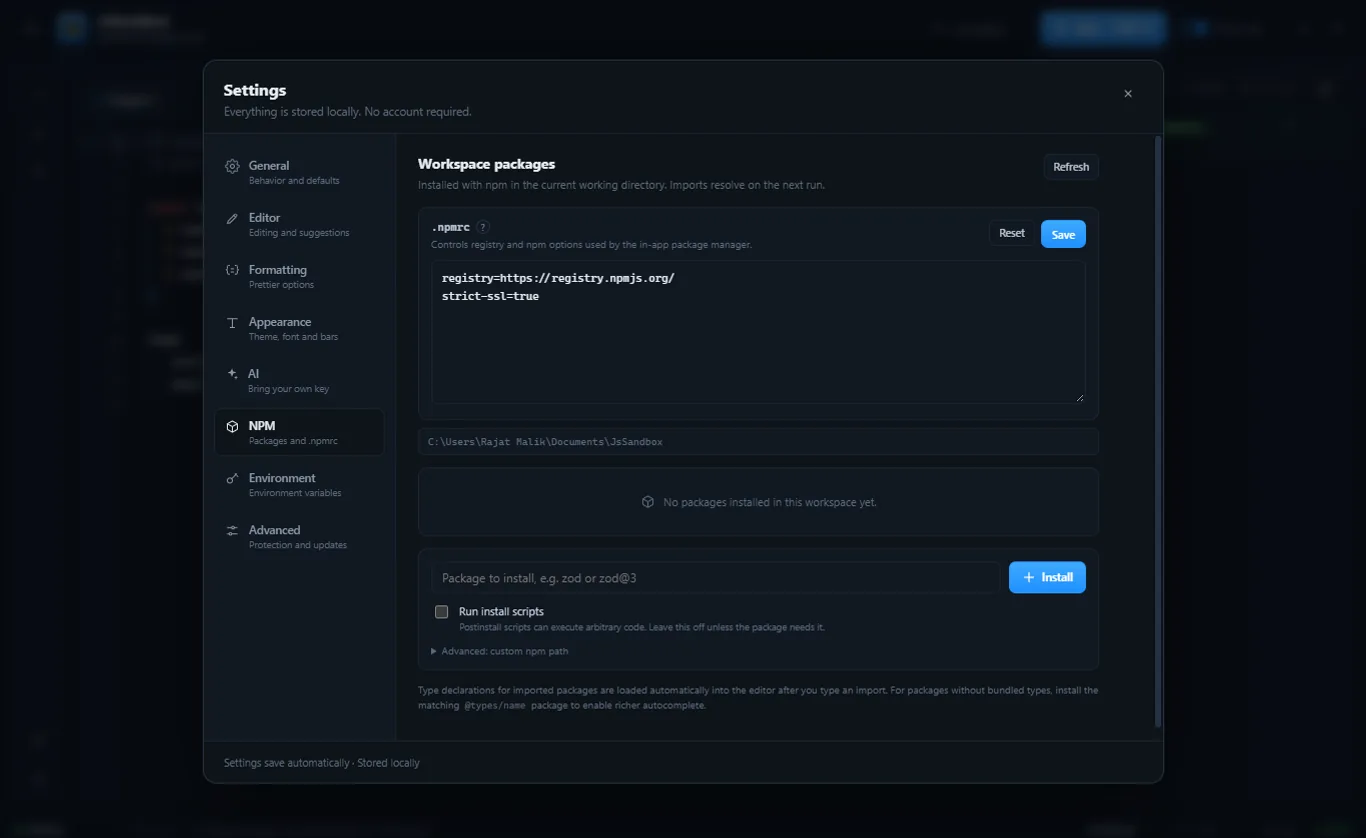
Install, inspect and remove packages in the current workspace with live npm output. Import them straight into a snippet; esbuild bundles the rest.
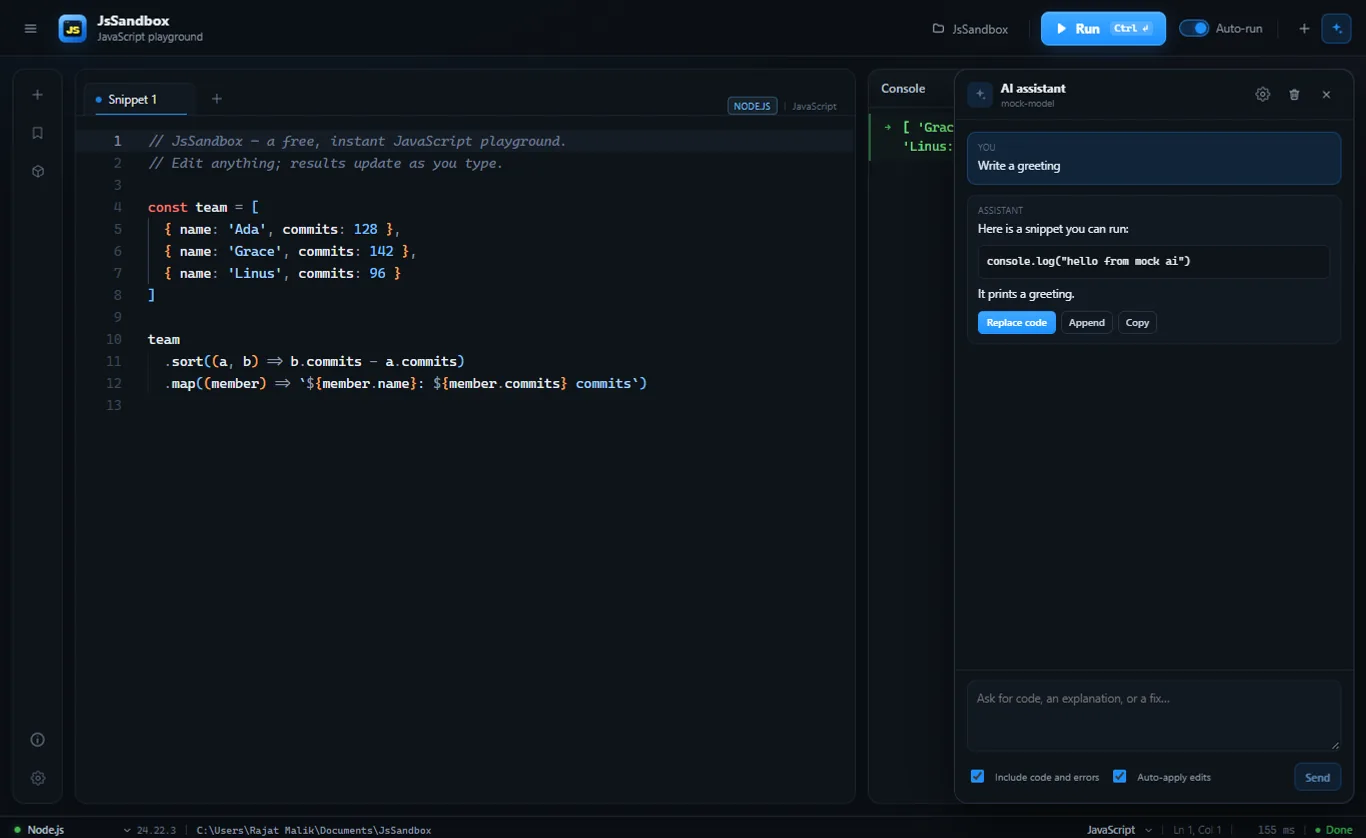
OpenAI, Anthropic, Gemini, Ollama, LM Studio and 40+ compatible providers. It sees your current code, answers questions and can replace or append a snippet. No key required to use JsSandbox.
Logs, groups, counters, timers, tables, object inspection, source-mapped errors and copyable entries. Errors get a line marker in the editor and a plain-English location in the console.
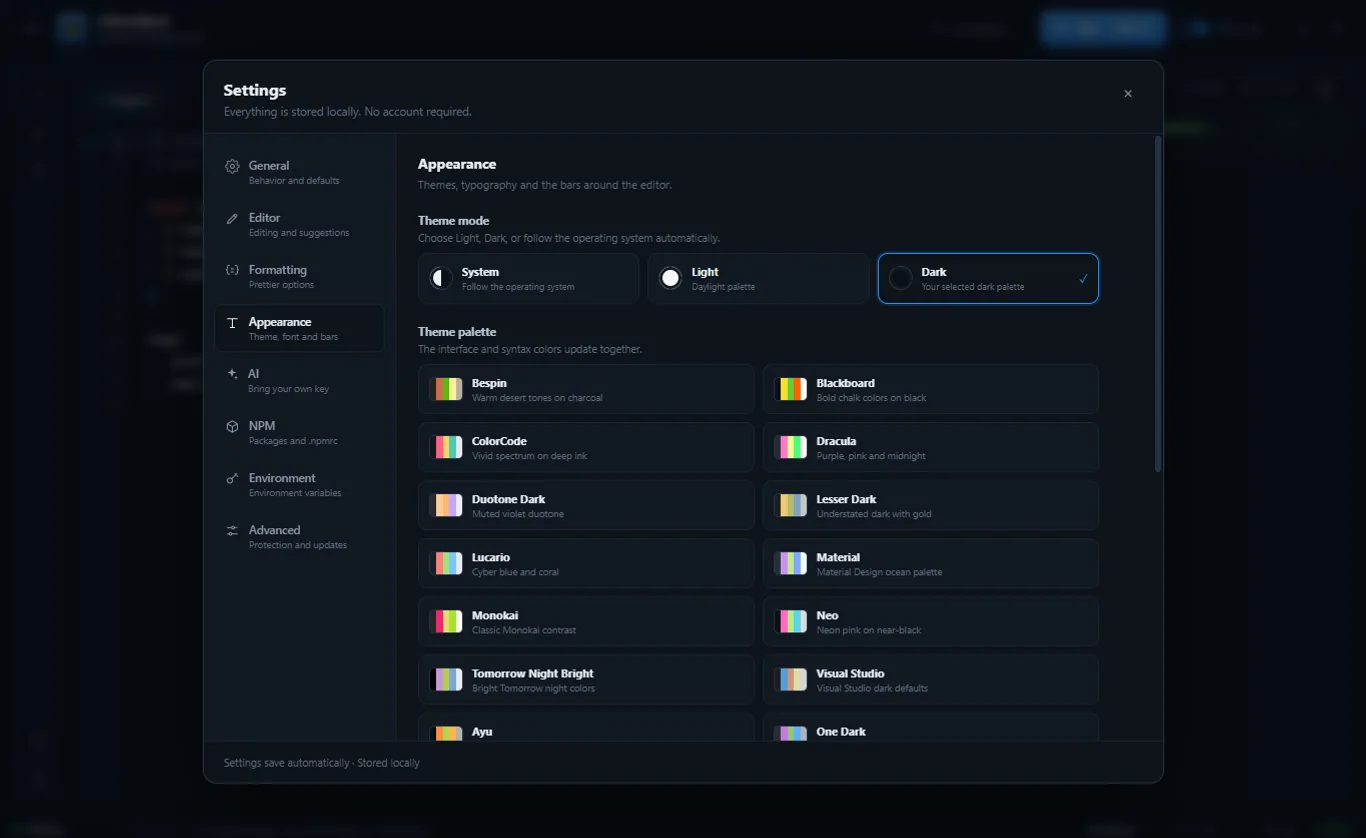
Twenty themes, from JsSandbox Dark and Daylight to Dracula, SynthWave '84 and Monokai. Prettier formatting with every option exposed. Vim keys, ligatures, minimap, line wrapping, bracket colors and a layout that remembers itself.
Pick a side
A browser tab for DOM and canvas. A Node.js process for files, APIs and real packages. A hybrid for the scripts that need both — without pretending either one is something it isn't.
A dedicated Electron utility process with the full Node API. Read files from your working directory, import npm packages, and use top-level await.
1import { readFile } from 'node:fs/promises'
2
3const pkg = JSON.parse(
4  await readFile('package.json', 'utf8')
5)
6
7console.log(pkg.name, pkg.version)
8'Node + npm, locally'Real DOM. Real canvas. Real WebGL. Code runs in a sandboxed iframe and the preview updates live, with npm packages bundled for the browser.
1const canvas = document.createElement('canvas')
2const ctx = canvas.getContext('2d')
3
4ctx.fillStyle = '#1e90ff'
5ctx.fillRect(0, 0, 520, 250)
6
7document.body.append(canvas)
8'canvas rendered'A utility process with Node APIs plus a happy-dom DOM. Perfect for scripts that read a file and render a result, with a live DOM snapshot in the preview.
1import fs from 'node:fs'
2
3document.body.innerHTML = `<h1>Hello hybrid</h1>`
4
5console.log(
6  typeof fs.readFileSync,
7  typeof document
8)Optional, local-first AI
JsSandbox ships with an assistant, not a subscription. Connect the provider you already trust, or run a local model and send nothing outside your machine.
Make it yours
A playground should feel like your editor, not someone else's marketing department. Pick a look below — the real app ships every one of these and remembers your choice.
The tour
No stock photos. These are real JsSandbox screenshots, captured from the packaged app.
Open source, open book
JsSandbox is MIT-licensed and built in the open. The app has no account and no telemetry, and no upsell modal. Unless you explicitly send code to an AI provider, the only person who sees your code is you.
Read it, fork it, build it, ship it. The source is public and the license is permissive.
Tabs, snippets, themes, settings and environment variables live on your machine and survive restarts. No cloud workspace required.
Checks GitHub Releases quietly. When a new version exists you can update now, remind me later, or skip that version.

Senior lead software engineer and frontend architect with 15+ years of shipping products. JsSandbox is the scratchpad he wanted — so he built it.
Before you download
Everything else lives in the guide and the full FAQ.
Yes. JsSandbox is free and open source under the MIT License. There is no subscription, license key, locked tier, account, or trial. You can inspect the source, build it yourself, or use the Windows installer.
Yes. The editor, compilation, Node.js and browser runtimes, saved workspace, snippets, and themes all work locally without a connection. Internet access is only needed for installing npm packages, optional AI requests, and the automatic GitHub update check.
A packaged Windows 10 and Windows 11 installer is available today. The Electron and electron-builder configuration also targets macOS and Linux, but Windows is the primary supported and tested platform at the moment.
Your code and workspace stay on your machine. JsSandbox does not include telemetry. The optional AI assistant sends the context you choose to the provider you configure, and API keys are protected with the operating system's secure credential storage. The app checks GitHub Releases for updates unless you disable that check.
Your next small idea
Download JsSandbox for Windows, open the app, and start typing. No account. No subscription. No ceremony.
v0.6.0 · ~130 MB · Windows 10/11 · MIT License · No account required